We put five AI interior design apps side by side. One gave us back the same living room, redesigned, in about 30 seconds.
5 AI design apps compared • 13 features checked on each • Prices from each app's own site
Try it on your roomOne house, redesigned tool by tool, video included. Every design in it is a RoomDesignAI render.
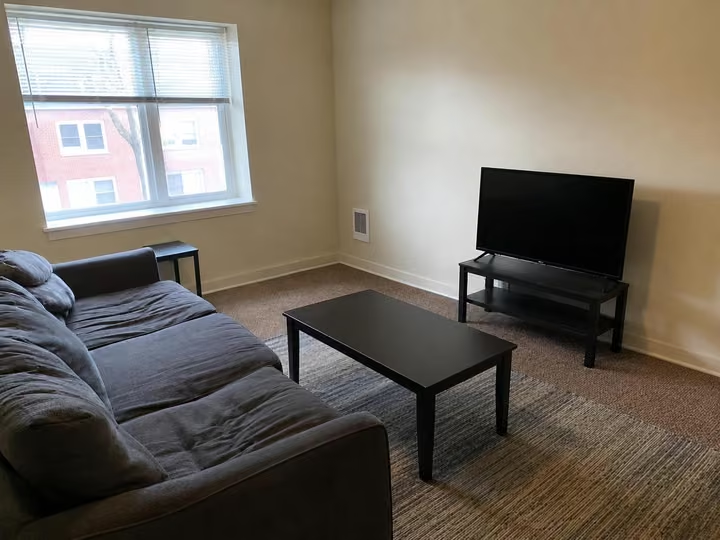
The living room below is a real photo.
Before
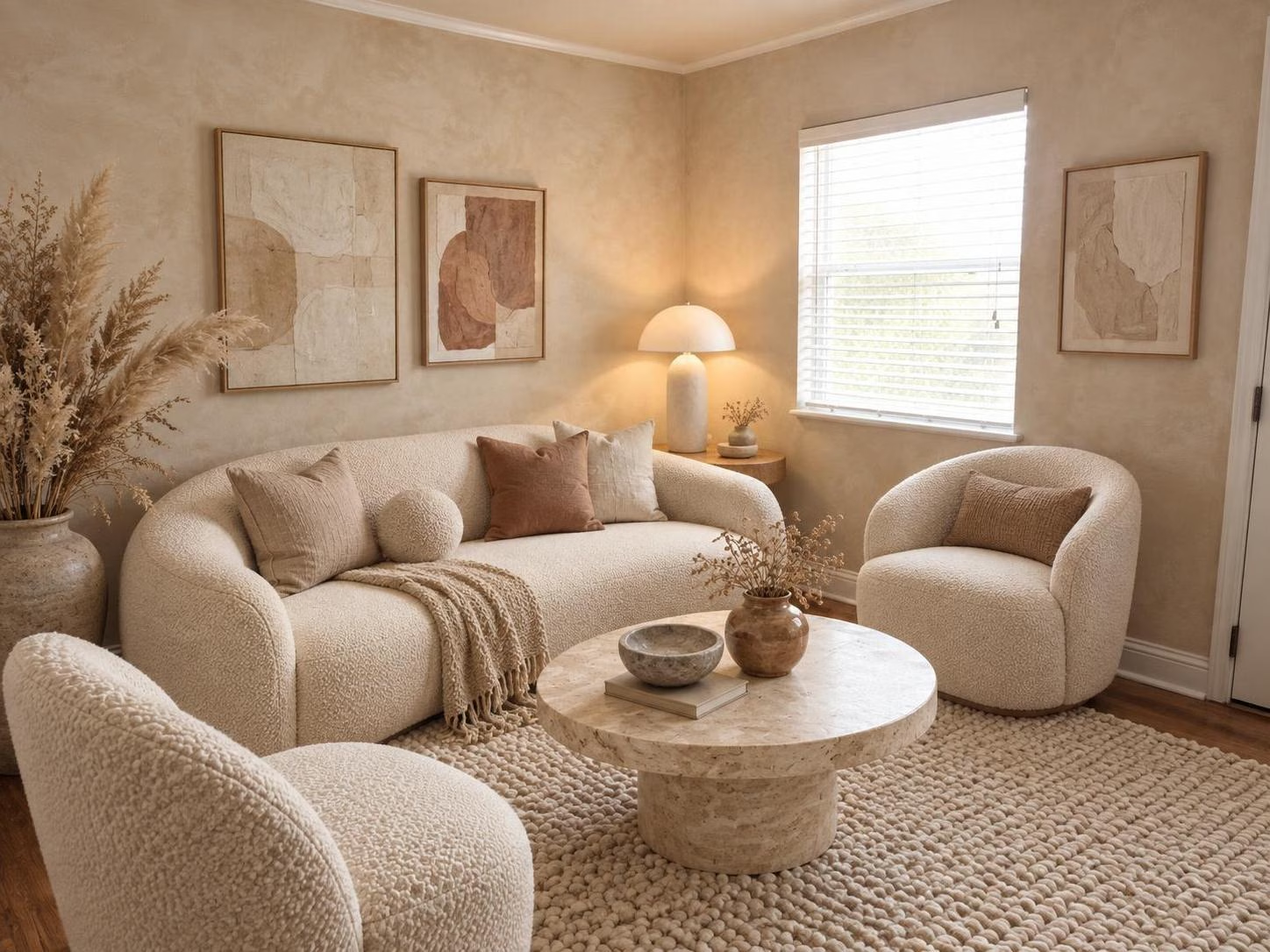
After
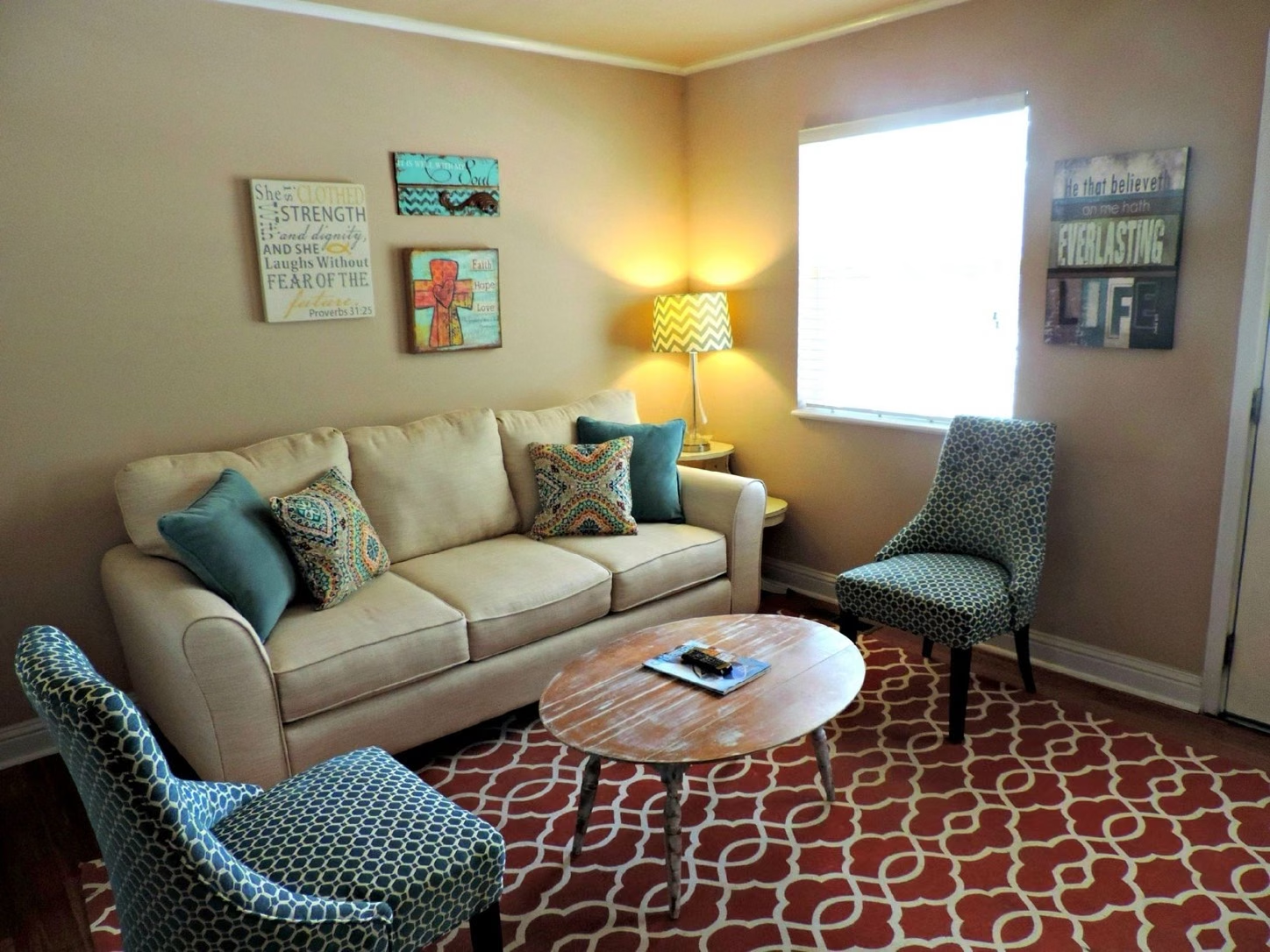
A real living room photo, before and after RoomDesignAI's Organic Modern style.
Nothing staged. A beige sofa with teal cushions. Two blue patterned chairs. A red trellis rug. A worn wooden coffee table with the TV remote on a magazine. Four framed signs on the walls and a chevron lamp in the corner.
You probably have a room like it. The one you walk past every day and think: someday.
Here's the problem with someday: you can't see it. You stand in the doorway and try to picture new paint, a warmer floor, a sofa that isn't the color of a rain cloud. Nothing. Your brain just shows you the same room again.
So you do what everyone does. You save a hundred photos of other people's living rooms and hope yours turns out like them. (It won't. Their room has different windows.)
So we put that exact photo into RoomDesignAI.
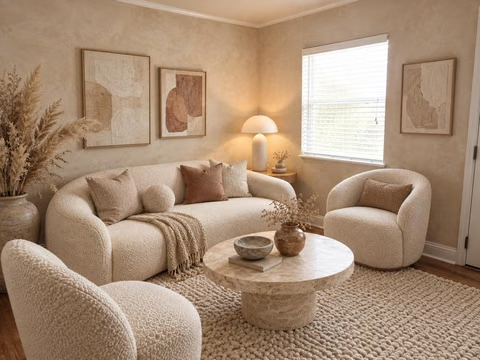
About 30 seconds later the same room came back, redesigned. Same window. Same corner for the lamp. But now there's a curved cream sofa, two round boucle chairs, a stone coffee table, a thick wool rug, a tall vase of dried grasses and soft abstract art on warm textured walls. Organic Modern, one click.
That's the whole trick. And it's exactly where most AI interior design apps slip up.
Plenty of them redraw the room. The window slides over. A wall bends. The doorway disappears. You get a gorgeous room that isn't yours, which makes it useless: you can't buy a sofa for a room that doesn't exist.
Others hide the good stuff (staging, video, even decent quality) behind their pricier plans.
So we put ours side by side with the four AI interior design tools that come up most in other 'best AI for interior design' lists, and judged all five on four things:
Your room: Do the walls, windows and floor plan stay where they are?
One app: Interiors, exteriors, gardens, staging and video in one place, or five apps?
The real price: Can you try it free, and what does the good stuff cost?
Trying it and reviews: Can you see it work on your own photo before you pay, and what do customers say?
The winner wasn't close. Here's how the five AI interior design apps stack up, and below it, the full review of our top pick.
Our rankings
The 5 best AI interior design apps, compared
Ranked on the room, one app for everything, the real price, and trying it first. Rivals' prices are their own, as their sites showed them on September 24, 2026.
Pro: 1,000 designs a month. $29 a month if you pay $349 for the year.
A known maker: Built by Pieter Levels, the indie maker behind Nomad List and Photo AI.
Plenty of modes: Style transfer, hand sketches and SketchUp screenshots, gardens and outdoor spaces.
Four rooms at once: Pro renders up to 4 rooms in parallel.
Private by default: Its FAQ says your photos and designs are visible only to you.
'Low quality' at $49: Its own pricing lists Pro renders as low quality. Medium quality starts on Premium, at $99 a month.
Staging and video cost more: Virtual staging, wall painting and walkthrough videos start on the $99 Premium plan.
No refunds, no free tier: Its FAQ says it can't offer refunds, and its site shows no free plan or trial.
#3 Best for architects
spacely.ai
Best for designers working in SketchUp, Revit or Rhino
Spacely AI
8.1/10
Our score
$25a month
Personal: 500 credits a month. $20 a month billed yearly.
A big toolbox: 23 tools, from realistic renders and staging to an 8-second video.
A free start: 40 free credits, no watermark, commercial license included.
Plugs into CAD: Paid plans connect to SketchUp, Revit, AutoCAD and Rhino.
Built for professionals: A toolbox to learn, more than one button for your own room.
Credits go fast: Every tool spends credits: by its own top-up rates, 500 credits is about 250 renders.
Thin reviews: 2 reviews on Trustpilot, both one-star.
#4 Best for 3D floor plans
planner5d.com
Best for drawing your home as a 3D plan
Planner 5D
7.6/10
Our score
$19.99a month
Premium: 100 AI credits a month. $59.99 for a year.
A real 3D planner: Draw the rooms and furnish them from a catalog of over 10,000 items.
A free plan: Design in 2D and 3D for free, with half the catalog.
Popular on iPhone: 4.4 out of 5 on the App Store, from about 41,000 ratings.
Not a photo redesign: It turns your photo into an editable 3D model rather than redesigning the photo itself.
4K costs extra: Unlimited 4K renders without a watermark are on the $49.99 Professional plan.
No refunds: Subscriptions are non-refundable unless the content is defective.
Mixed reviews: 2.6 out of 5 on Trustpilot, from 866 reviews, several about trial billing.
#5 Best for a one-off try
roomgpt.io
Best for a quick try, paying per credit
RoomGPT
6.8/10
Our score
Credit packs
No subscription, and unused credits don't expire.
No subscription: Buy credits once and use them whenever.
One of the first: It started as an open-source project in 2023.
Indoors and out: Its site covers rooms, exteriors and gardens.
It redraws rooms: A Trustpilot review says it moves windows and warps walls.
Standing still: The open-source code it grew from hasn't been updated since April 2024.
Refunds case by case: Its policy says refund requests are considered case by case.
Unhappy reviews: 6 reviews on Trustpilot, all one-star.
At a glance. Rivals' prices as their sites showed them on September 24, 2026.
Tool
Best for
Starts at
Our score
RoomDesignAI
Your own room, redesigned
Free, or $7 for 20 designs, paid once
9.6
Interior AI
Quick restyles
$49 a month ($29 billed yearly)
8.4
Spacely AI
Architects and CAD users
$25 a month ($20 billed yearly)
8.1
Planner 5D
3D floor plans
Free, or $19.99 a month
7.6
RoomGPT
A one-off try
Credit packs
6.8
How we compared the AI interior design apps
Tools compared
5
Features checked on each
13
Sources, linked below
13
Prices last checked
Sep 24
‹ ›
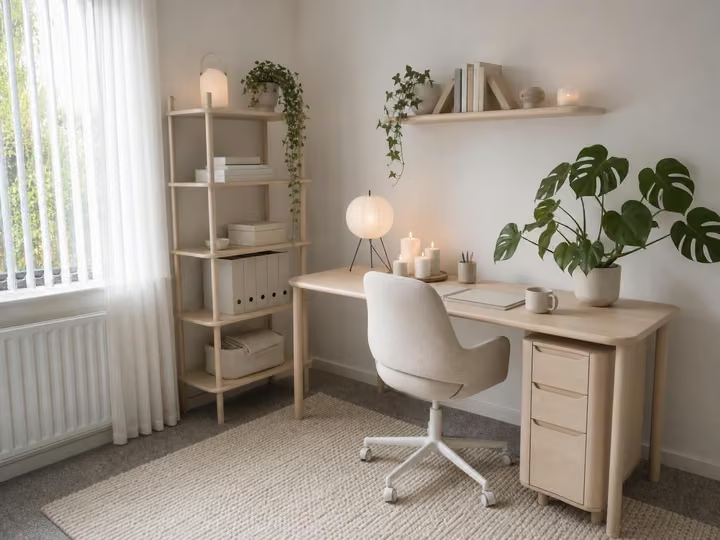
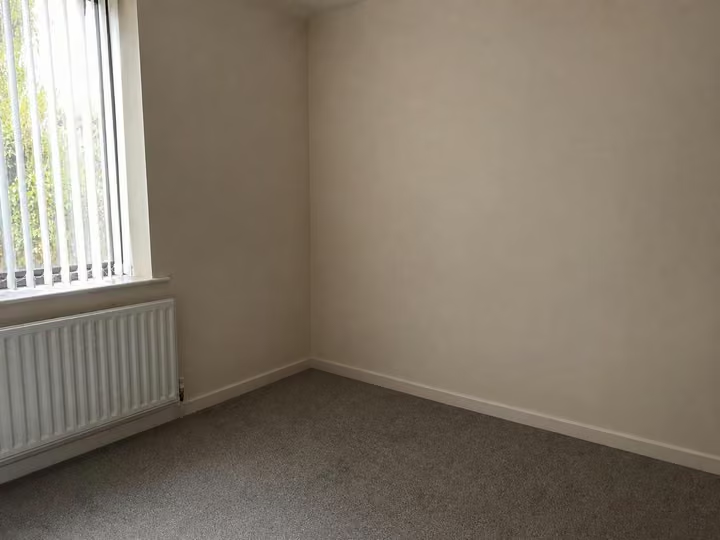
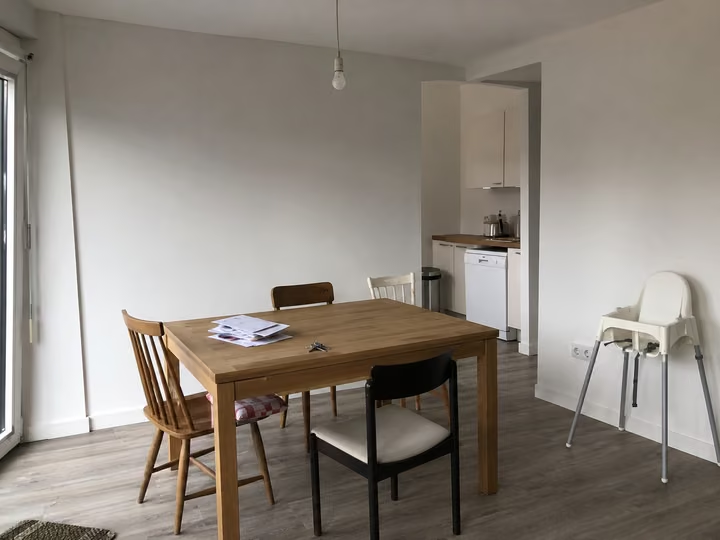
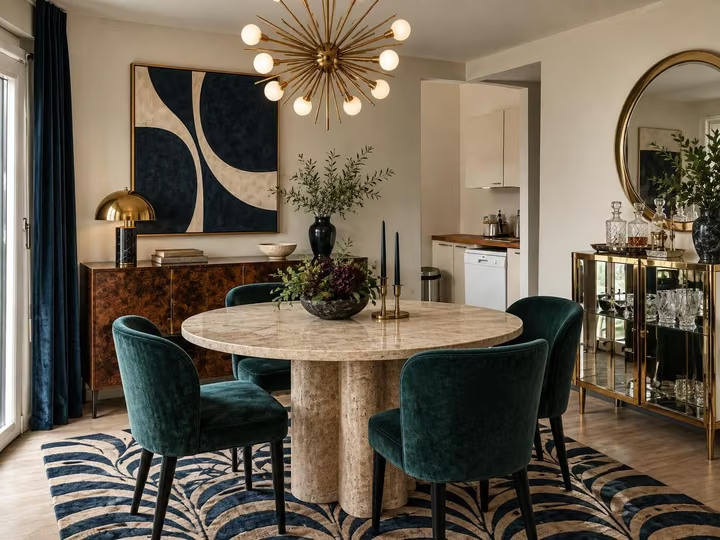
Empty roomFurnished, about 30 seconds later
Why RoomDesignAI came first
The best AI for interior design kept the room and put everything in one app
Give it an empty room and you get the same room back, furnished: the same window, the same floor, the same walls. That's the job. Then it does eleven more in the same app, turns the result into a video, and gives every design the same image model.
Your room, kept: The walls, windows and floor plan stay put.
Twelve tools on every pack: Interior, exterior, garden, staging, bare shells, sketches, walls, floors and more.
Video: A 5-second camera move of any design, with sound.
We compared five of the best-known AI interior design apps. Here's why RoomDesignAI is #1
RoomDesignAI does one thing better than any other AI interior design tool on this list: it gives you back your own room, redesigned.
Not a room like yours. Yours. The window is where the window was. The doorway didn't move. The radiator is still under the sill.
That sounds obvious. It isn't. One complaint keeps coming up in other tools' reviews: the AI redraws the room. And a redrawn room is a pretty picture you can't do anything with.
Here's what we mean, one tool at a time.
Got a sketch? The AI turns it into the finished room.
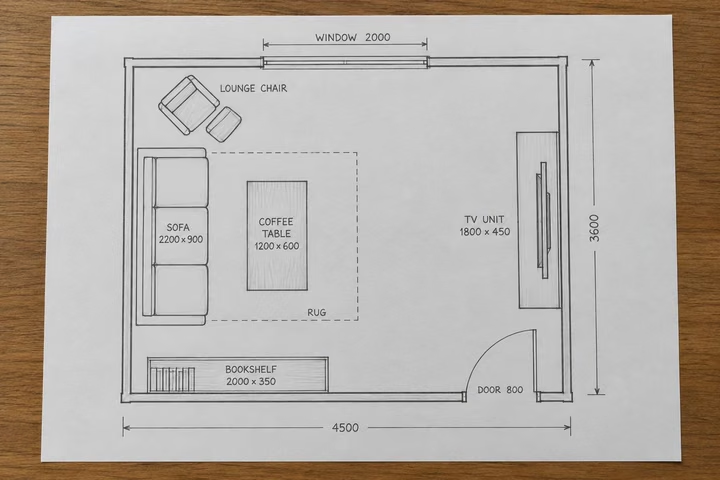
This one surprises people. Take a floor plan sketch: pencil lines, a box that says SOFA 2200 x 900, a lounge chair by the window, the door swinging in on the right.
Sketch
After
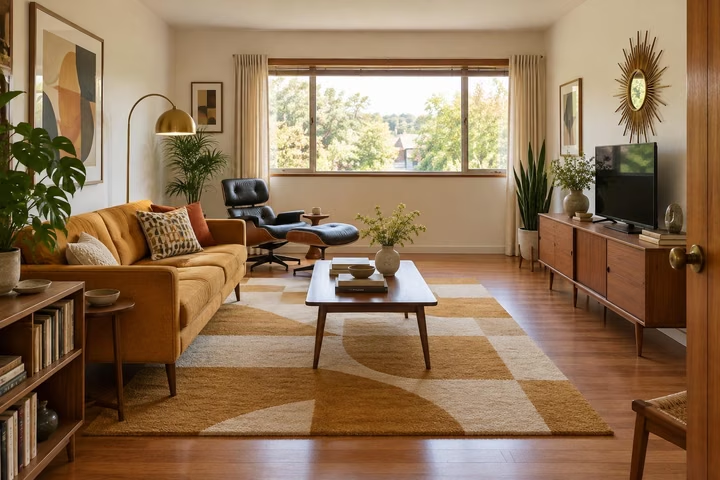
Sketch to Render. A sample sketch, then the tool's own render of it: Mid-Century Modern.
Give it to Sketch to Render, pick a style, and out comes the room. The sofa is where the sketch put the sofa. The lounge chair sits by the window. The TV unit hugs the right-hand wall. The bookshelf is in its corner.
Handy if you're an architect showing a client a room that doesn't exist yet. Handier if you're about to spend real money on an extension and want to know what it will feel like first. (Sketch to Render is on every pack.)
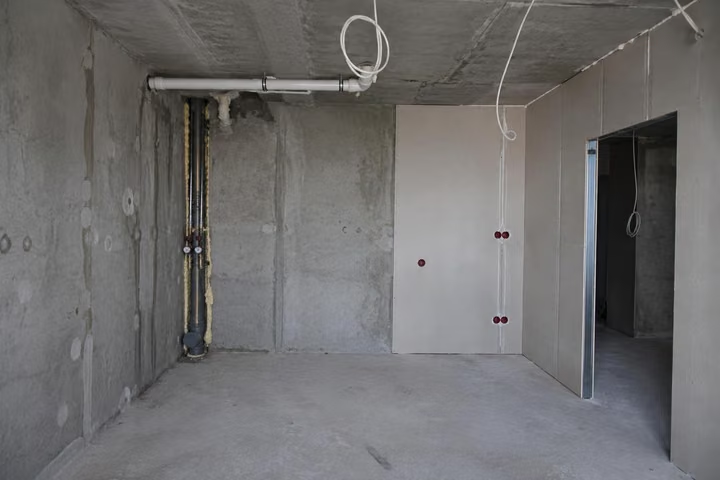
Bare concrete? The AI finishes it.
Here's a room the way a new build often arrives: raw concrete, pipes running up the wall, cables hanging from the ceiling.
Bare shell
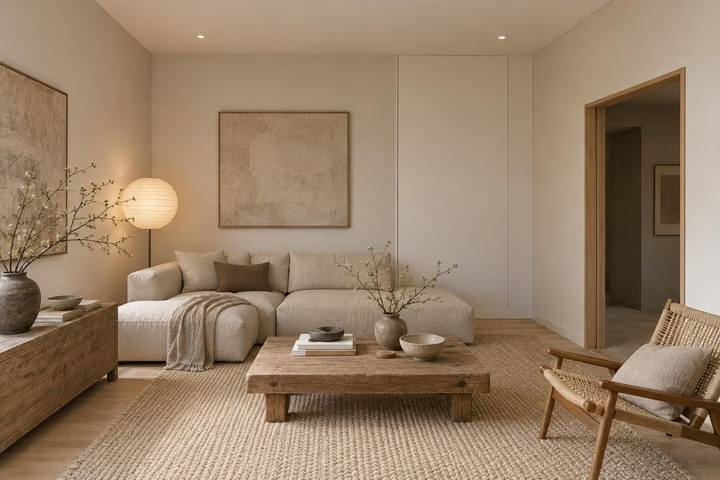
After
Finish New Build. A real photo, then the tool's own render of it: Japandi.
Nobody can picture living there. Finish New Build can. The walls, the doorway and the ceiling stay where they are. Everything else arrives: smooth walls, a wooden floor, a sofa, a rug, a paper lantern and art on the wall. Japandi, in about 30 seconds.
Selling off plan? This is the picture that sells it.
The outside counts too: AI home design for the house and the garden.
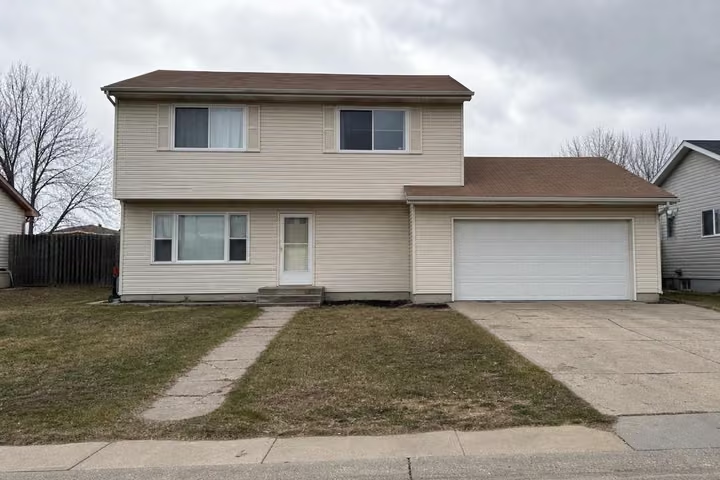
Beige siding. A bare front yard. A garage door nobody has ever loved.
Before
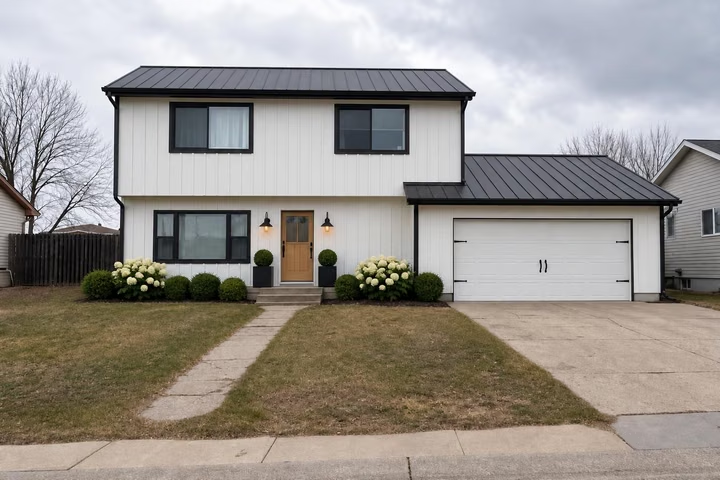
After
Exterior Design. A sample photo, then the tool's own render of it: Modern Farmhouse.
One pass through Exterior Design in Modern Farmhouse: white siding, a black roof, black window frames, a wood front door between two lanterns, and white hydrangeas along the front. Same house. Same windows. Same driveway.
Garden Design does the back: a lawn, deep borders, a stone patio and roses climbing the fence.
Before
After
Garden Design. A sample photo, then the tool's own render of it: English Country.
Or have the AI change just one thing.
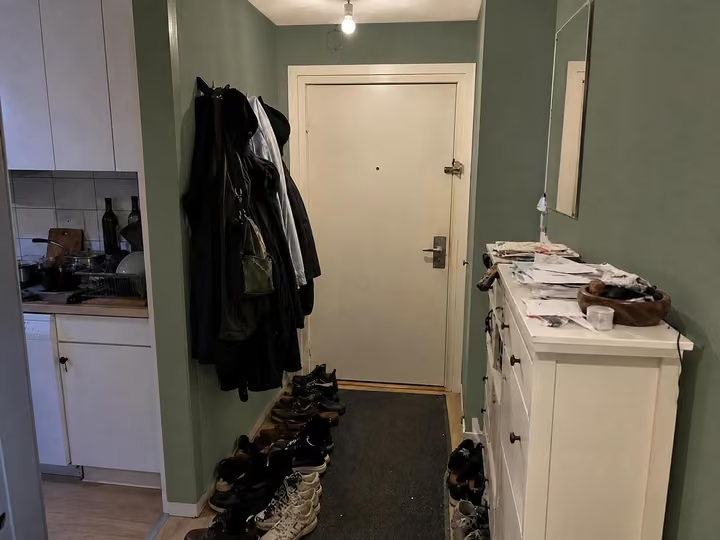
Not every job is a makeover. Sometimes you just want to know if sage green will work in the hallway before you buy four tins of it.
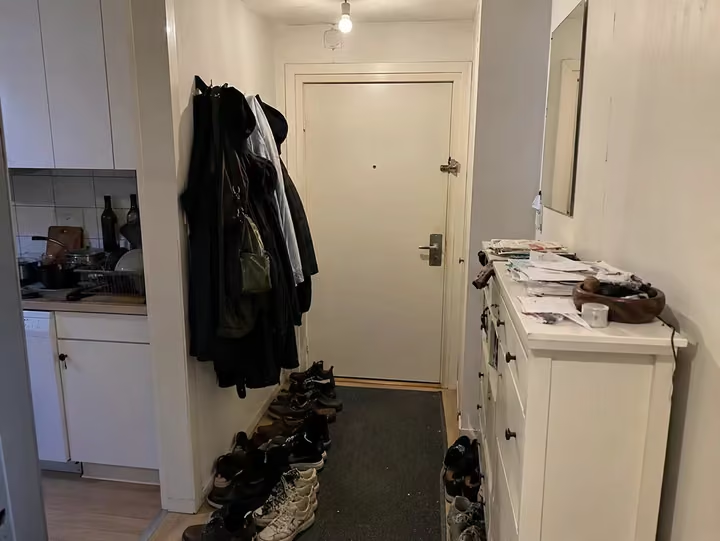
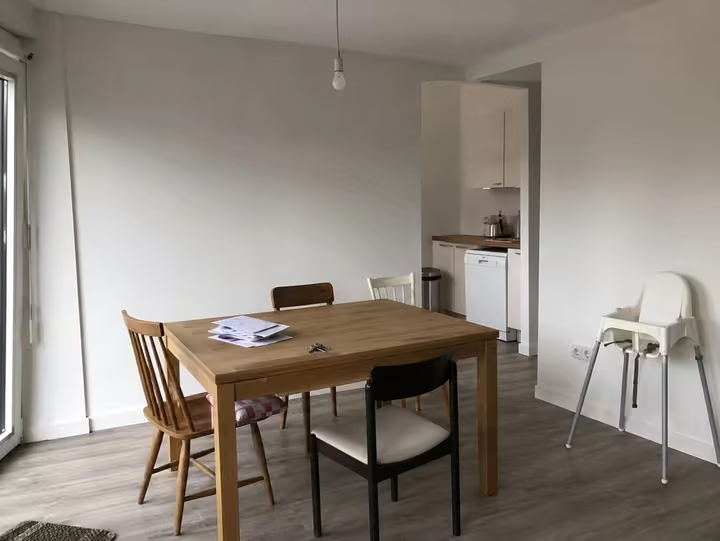
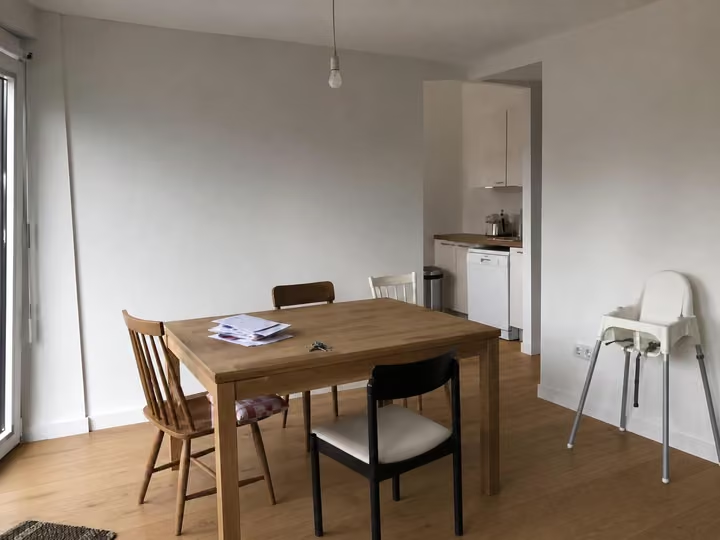
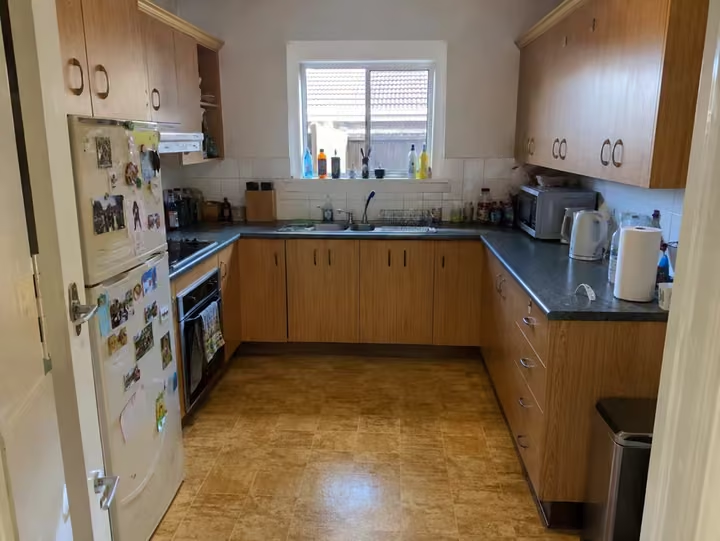
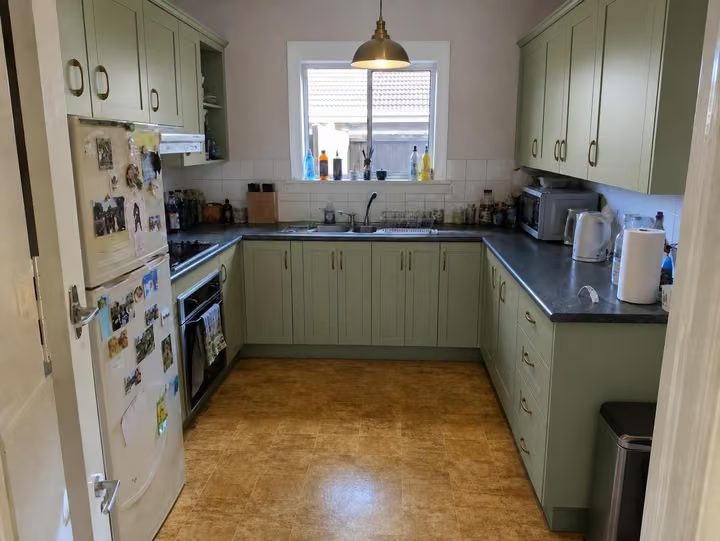
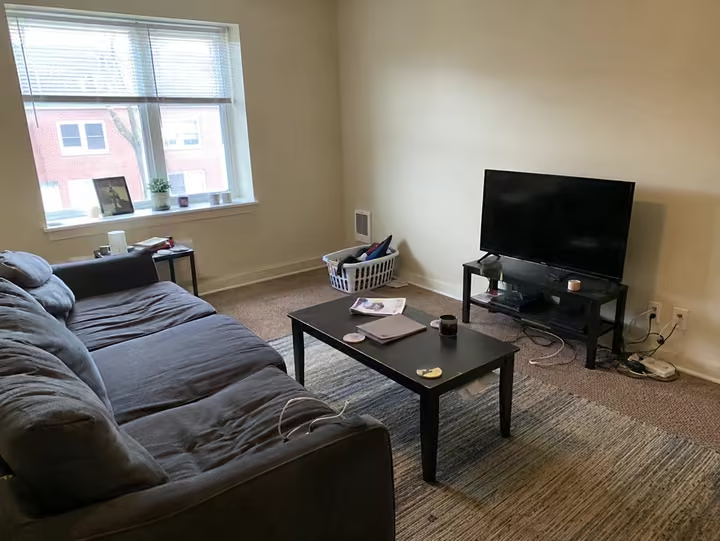
New Walls changes the paint and nothing else: the coats are still on the hooks, the shoes are still in a heap by the door. New Flooring swaps the floor and leaves the high chair exactly where it was. Replace & Add changes the one thing you write down (we asked for sage cabinets and a pendant light), fridge magnets and all. Room Declutter takes away the laundry basket, the mess on the coffee table and the cables, and keeps the furniture.
Or just draw on it. Circle the chair you want gone and Furniture Removal takes that chair and nothing else. Mark an empty corner, write "a tall plant", and Replace & Add puts it right there. No explaining where in words.
AfterBefore
New Walls
AfterBefore
New Flooring
AfterBefore
Replace & Add
AfterBefore
Room Declutter
Hover or tap a picture to see the photo it started from.
Then press play: your design as a video.
Found a design you love? Walk around it first: Same design, new angle gives you a new photo of that exact room from the left, from the right, a wider shot or a closer one. Same furniture, same style.
Then turn it into a 5-second video: push in, pull back, pan, orbit or tilt up. With sound.
It's the difference between showing someone a photo and walking them into the room. A video is 10 credits, on any pack.
What makes it better than other AI interior design apps?
It keeps your room. The walls, windows and floor plan stay where they were. You see your room, not a stranger's.
Every design gets the same quality. One image model for everyone. Interior AI's own pricing calls the renders on its $49 plan low quality.
Twelve tools, one app. Inside, outside, empty, bare, sketched, or just the walls. No second app, and every pack opens all twelve.
Draw where the change goes. Mark a spot on your photo and only that spot changes.
Video is included. Any pack turns a design into a 5-second camera move, with sound, for 10 credits.
No subscription. You pay once for a pack and nothing renews. Interior AI, Spacely AI and Planner 5D sell their paid tiers as monthly or yearly plans.
How much does it cost? Less than you'd think.
A pack of 100 designs is $19, paid once. That's 19 cents a design, and the 500-design pack brings it to 9.8 cents.
Now think about what a wrong guess costs you. A sofa that looks wrong in your room costs you the sofa, the delivery and a lost weekend. Paint that looks wrong costs you the tins and another weekend. A design costs you 19 cents.
For comparison, Interior AI charges $49 a month, at what its own pricing calls low quality.
Three packs, each paid once: 20 designs for $7, 100 for $19 and 500 for $49. Every tool on every pack, a commercial license, and credits that last 12 months. A video is 10 credits.
The trade-offs (straight answers)
Packs are not refundable. The credits arrive the moment you pay. Try your free design first: that's what it's for.
One free design, not a free plan. After the first, every design takes credits.
Final verdict: the best AI for interior design in 2026
If you want to see your own room redesigned, RoomDesignAI is the best AI interior design app on this list. It keeps the room, covers the whole house and garden, turns the result into a video, and does all of it in one app, paid once.
Your room is sitting there right now, waiting for someday. Upload a photo and see it finished in about 30 seconds. Your first design is free, no card.
For redesigning a room you already have, RoomDesignAI came first here: it keeps the walls, windows and floor plan, and every pack covers all twelve tools, from interiors to gardens, plus video. Interior AI suits quick restyles if the budget stretches, Spacely AI suits designers working in SketchUp, Revit or Rhino, and Planner 5D suits drawing your home as a 3D plan.
What's the best AI home design app?
If home design means the whole house, pick one app that does the inside and the outside. RoomDesignAI redesigns rooms, the front of the house and the garden from a photo, on every pack. If you'd rather draw your home as a 3D floor plan, Planner 5D is built for that.
Do I need to download an app?
No. RoomDesignAI runs in your browser, on a phone or a computer: upload a photo, pick a tool and a style, and the design comes back in about 30 seconds.
Which AI interior design tool keeps my room's layout?
RoomDesignAI is built around it: the walls, windows and floor plan stay where they are, and only the design changes. A Trustpilot review of RoomGPT describes the opposite: moved windows and warped walls.
Is RoomDesignAI free?
To start, yes: your first design is free on Interior, Exterior or Garden Design, full quality, no card. It's public and downloads with a small badge. After that, credits come in packs, paid once, from $7 for 20 designs.
What's the cheapest way to try an AI interior design app?
Planner 5D and Spacely AI have free plans, and RoomGPT sells credits with no subscription. RoomDesignAI gives your first design free with no card, then sells credits in packs, paid once.
Can I use the designs commercially?
Yes: every RoomDesignAI pack includes a commercial license.
Is it a subscription, and can I get a refund?
No subscription: you pay once for a pack and nothing renews, so there's nothing to cancel. Packs are not refundable, because the credits arrive the moment you pay; that's why the first design is free. The details are on our refunds page.
Can it make a video of my design?
Yes. Any pack turns a finished design into a 5-second camera move with sound, for 10 credits.
RoomDesignAI made this comparison. We built our app for one job: your own room back, redesigned, with the walls and windows right where they were. For the other four, every price and rating comes straight from their own sites, Trustpilot and the App Store, all linked below.
 interiorai.com