AI style transfer for rooms
Sometimes the style you want is in a photo, not on a list. Upload your room, then upload the room you saw and liked, and the tool reads the second picture and gives your space that look. No style list, no describing it in words, just the two photos.
Style Transfer comes with any credit pack, from $7 paid once. Your first design is free on Interior, Exterior or Garden Design.
- On every pack
- About 30 seconds a design
- No subscription
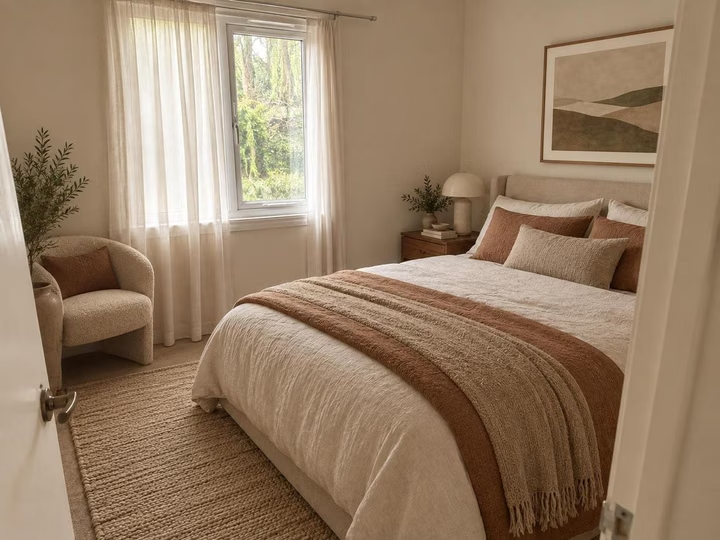
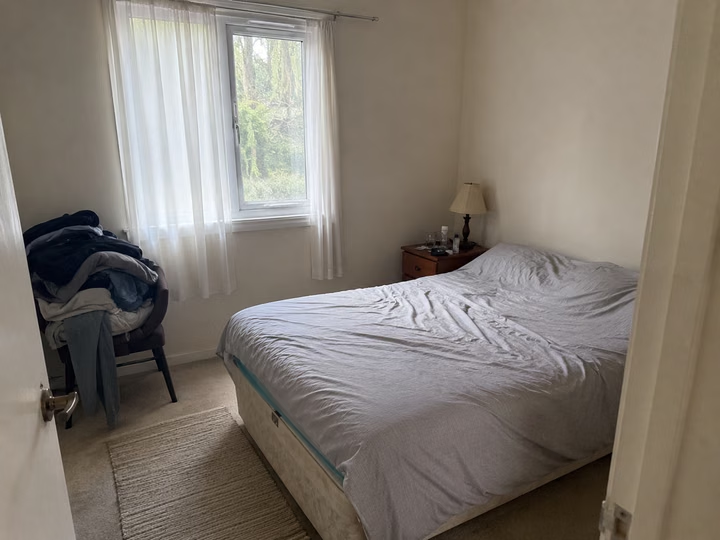
A real photo, then the tool's own render of it: styled from a reference photo.
Three steps. About 30 seconds.
- 1
Upload the photo of your own room first, jpeg or png, up to 10MB.
- 2
Upload the second photo, the room whose look you want, from a magazine shot, a listing or a friend's house.
- 3
About 30 seconds later your room comes back wearing that style, with your walls, windows and floor plan unchanged.
Watch it work.
The tool on a room, start to finish, in one clip.
Answers, before you ask.
Do I need to pick a style?
No. Style Transfer is the one redesign tool with no style list. The second photo is the brief, so the colours, materials and mood come from it instead of from one of our 41 named styles.
What makes a good reference photo?
A clear, well lit room where the look is obvious: the palette, the materials, the shapes of the furniture. A blurry corner or a close up of one cushion gives the tool very little to read.
Is Style Transfer on every pack?
Yes. Style Transfer opens on every pack, along with Furnish Empty Room, Finish New Build and Sketch to Render. The Room pack is $7 for 20 credits, the Home pack $19 for 100, the Pro pack $49 for 500.
Will it copy the other room's windows?
No. Your walls, windows, doors and floor plan are held. What carries over is the style: the colour, the materials, the character of the furniture and the quality of the light. The room stays yours.
Upload the photo, pick a style, and see it redesigned with the walls and windows where they are. Your first design is free; after that, credits from $7, paid once.
Redesign my photo