AI furniture removal from a photo
Buyers and clients struggle to see past someone else's sofa. Upload the room and the tool erases the furniture, leaving the empty space with its walls, windows, doors and floor intact. Use the result on its own, or send it through Furnish Empty Room to stage it in a different style.
Furniture Removal comes with any credit pack, from $7 paid once. Your first design is free on Interior, Exterior or Garden Design.
- On every pack
- About 30 seconds a design
- No subscription
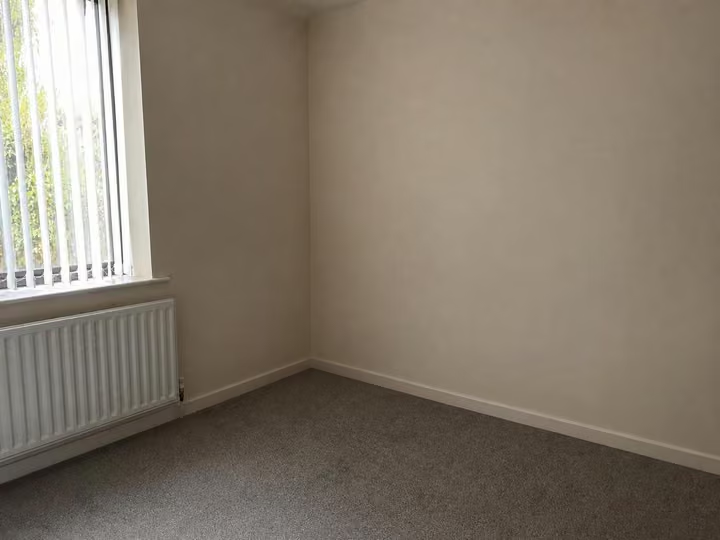
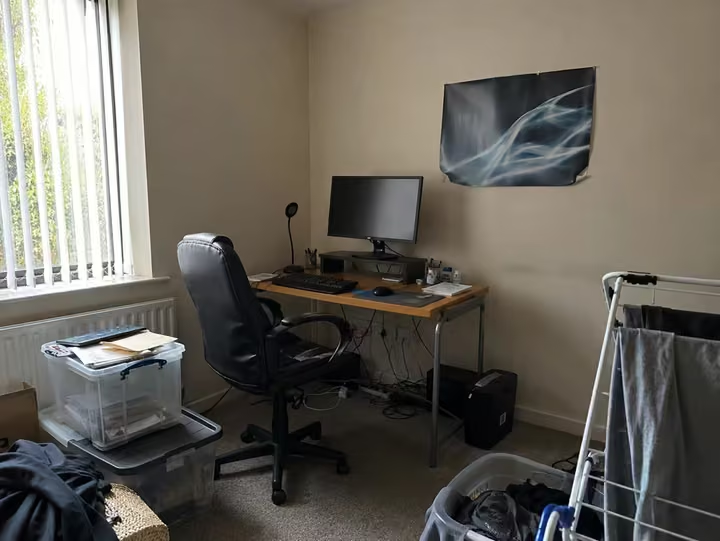
A real photo, then the tool's own render of it: furniture removed.
Three steps. About 30 seconds.
- 1
Upload the photo of the furnished room, jpeg or png, up to 10MB, shot from a corner if you can.
- 2
Run Furniture Removal. There is no style list, the tool simply takes the furniture out of the picture.
- 3
The empty room comes back in about 30 seconds, ready to keep or to furnish again in another style.
Watch it work.
The tool on a room, start to finish, in one clip.
Answers, before you ask.
Does the floor survive the removal?
Yes. Walls, windows, doors, the floor and the shape of the room stay. What goes is the furniture standing in them, so the result reads as the same room, emptied.
Can I then stage the empty room?
Yes. Feed the result into Furnish Empty Room and pick a style. That tool opens on every pack, and every pack carries the commercial license you want for listing photography.
Will the room look real afterwards?
It reads as a photograph of an empty room rather than a drawing. Rooms with heavy furniture pushed against a wall are the hardest case, so check the result and run it again if a shadow looks off.
What if I do not like it?
Run it again, or try a different photo of the same room. A design that fails to render gives its credit back automatically. Packs are not refundable because credits arrive the moment you pay, which is why your first design is free to try on your own photo.
Upload the photo, pick a style, and see it redesigned with the walls and windows where they are. Your first design is free; after that, credits from $7, paid once.
Redesign my photo