AI flooring in your own room
Flooring is the change people put off longest, because a sample tells you nothing about a whole room. Upload the photo, name the floor you want, and the tool lays it: wide oak boards, dark tile, pale carpet, whatever you describe. The rest of the room is left exactly as it is.
New Flooring comes with any credit pack, from $7 paid once. Your first design is free on Interior, Exterior or Garden Design.
- On every pack
- About 30 seconds a design
- No subscription
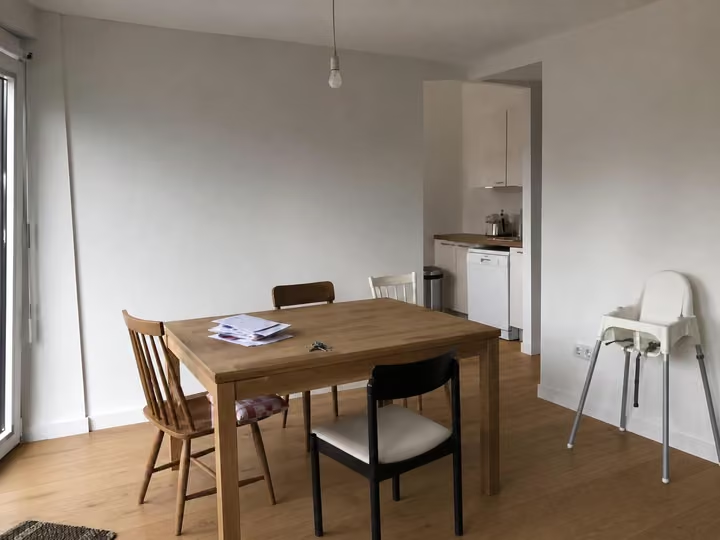
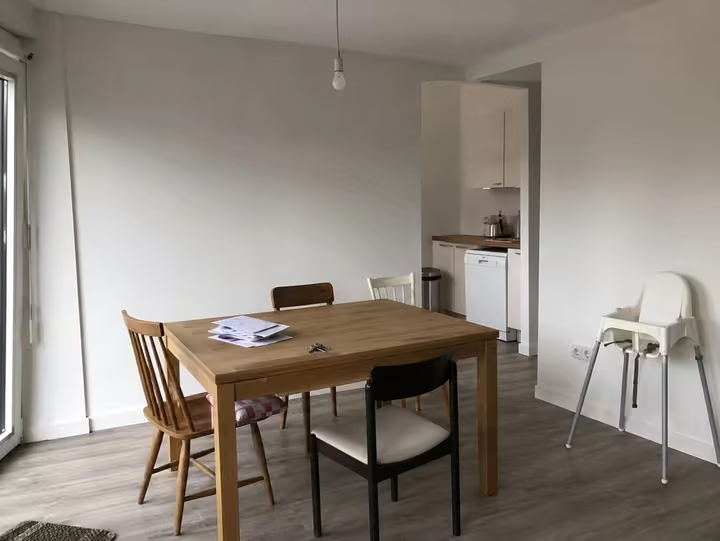
A real photo, then the tool's own render of it: new flooring.
Three steps. About 30 seconds.
- 1
Upload a photo that shows a good amount of the floor, taken from standing height.
- 2
Say what you want laid, for example smoked oak boards, large format grey tile or a wool carpet.
- 3
In about 30 seconds the room comes back with the new floor and nothing else disturbed.
Watch it work.
The tool on a room, start to finish, in one clip.
Answers, before you ask.
Can I match a floor I already have?
Describe it as precisely as you can: species, board width, tone and finish. The closer the description, the closer the result. To match an exact look from a picture, Style Transfer reads a photo instead.
Does it change the skirting too?
The tool works on the floor surface. Walls, skirting, furniture and windows are held, so you see the new floor in the room you actually have rather than a different room with a nice floor.
How long does one design take?
About 30 seconds from upload to result. You can start another while you look at the first. One credit is one design, and up to 4 designs render at once on any pack.
Is New Flooring on the cheapest pack?
Yes. Every pack opens all twelve tools, so the $7 Room pack has New Flooring too. It gives you 20 credits, enough to try several floors in your room. You pay once and nothing renews.
Upload the photo, pick a style, and see it redesigned with the walls and windows where they are. Your first design is free; after that, credits from $7, paid once.
Redesign my photo