AI wall paint and wallpaper
Colour behaves differently on your own wall, under your own light. Upload the room, write the change you want in a line of text, and the tool repaints, papers or replasters the walls in that photo. There is no style list here. You say sage green or a wide cream stripe, and that is what comes back.
New Walls comes with any credit pack, from $7 paid once. Your first design is free on Interior, Exterior or Garden Design.
- On every pack
- About 30 seconds a design
- No subscription
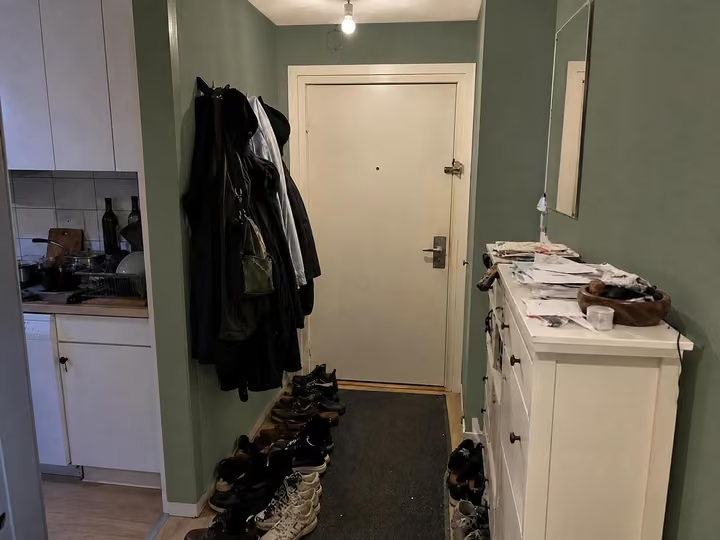
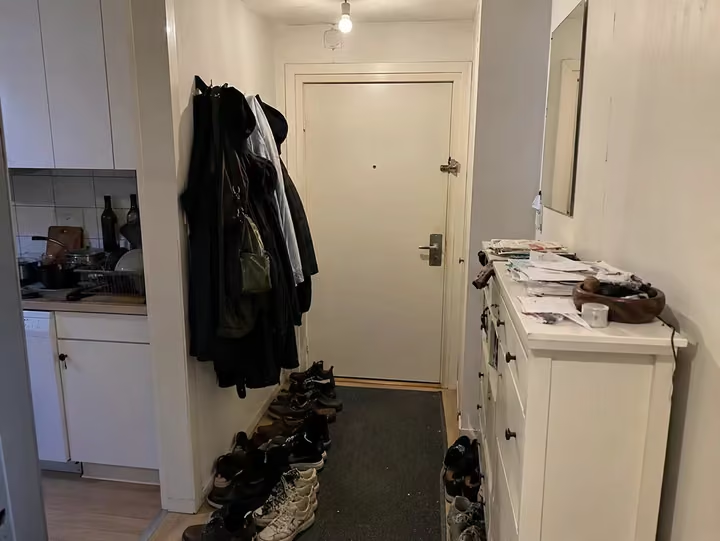
A real photo, then the tool's own render of it: new walls.
Three steps. About 30 seconds.
- 1
Upload the photo of the room whose walls you want changed, jpeg or png, up to 10MB.
- 2
Write the change in your own words, for example warm white matt paint or a narrow green stripe.
- 3
The room comes back in about 30 seconds with the new walls and everything else left alone.
Watch it work.
The tool on a room, start to finish, in one clip.
Answers, before you ask.
Do I pick a style for this?
No. New Walls has no style list. You describe the finish you want in a line of text and the tool applies it. Use Interior Design instead when you want the whole room restyled in a named look.
Will the furniture move?
No. The change is the wall surface: paint, wallpaper, panelling or plaster. Furniture, floors and windows stay as photographed, which is the point when you are testing a colour on the room you already own.
Can I try several colours?
Yes. Run the same photo once per colour and put the results side by side. Each one costs a credit, so the 20-credit Room pack at $7 covers a good shortlist of colours.
What if the result is wrong?
Run it again with a more specific line, naming the finish as well as the colour. Each new try costs one credit, and a design that fails to render gives its credit back automatically.
Upload the photo, pick a style, and see it redesigned with the walls and windows where they are. Your first design is free; after that, credits from $7, paid once.
Redesign my photo