AI furniture replacement and additions
Most rooms need one thing changed, not everything. Upload the photo, describe the single change you want, sage cabinet fronts or a pendant over the island, and the tool makes that change and leaves the rest alone. Run it again for the next change once you are happy with this one.
Replace & Add comes with any credit pack, from $7 paid once. Your first design is free on Interior, Exterior or Garden Design.
- On every pack
- About 30 seconds a design
- No subscription
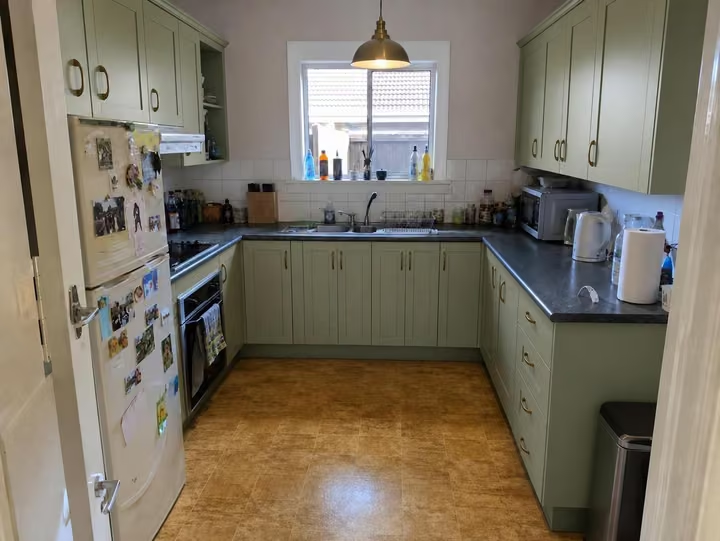
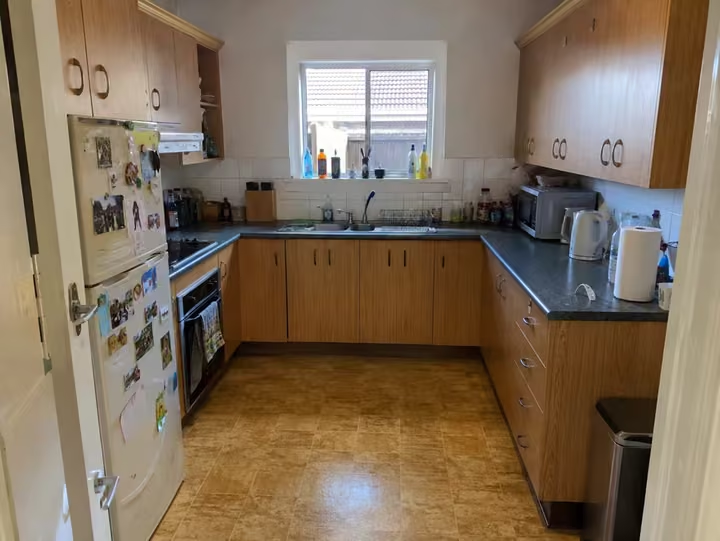
A real photo, then the tool's own render of it: sage cabinets and a pendant.
Three steps. About 30 seconds.
- 1
Upload the photo of the room you want to adjust, jpeg or png, up to 10MB.
- 2
Describe one change, for example replace the grey sofa with a tan leather one, or add a floor lamp.
- 3
The edited room comes back in about 30 seconds, and you run it again for the next change.
Watch it work.
The tool on a room, start to finish, in one clip.
Answers, before you ask.
Why one change at a time?
Because a single, clearly named change comes back cleaner than a list of five. Ask for the sofa, look at it, then ask for the rug. Each run costs one credit from your pack.
Can it add something that is not there?
Yes. Adding is as much the job as replacing: a pendant, a rug, a chair, a set of cabinet fronts. Name where it goes as well as what it is, and the tool places it in the room.
Does the room get restyled as well?
No. Only the piece you name changes. If you want the whole room reworked in a named look, use Interior Design and pick one of the 41 styles instead.
How many edits does a pack cover?
One credit is one design, so one edit. The Room pack covers 20 edits for $7, the Home pack 100 for $19 and the Pro pack 500 for $49. Credits last 12 months from your last purchase, and a new pack carries over what is left.
Upload the photo, pick a style, and see it redesigned with the walls and windows where they are. Your first design is free; after that, credits from $7, paid once.
Redesign my photo