AI room declutter from a photo
Nobody tidies a whole house before a viewing. Upload the photo as it is, and the tool clears the clutter, the piles, the cables, the things on every surface, so the room reads clean. The furniture, the walls and the light stay the same, which is what makes the result believable.
Room Declutter comes with any credit pack, from $7 paid once. Your first design is free on Interior, Exterior or Garden Design.
- On every pack
- About 30 seconds a design
- No subscription
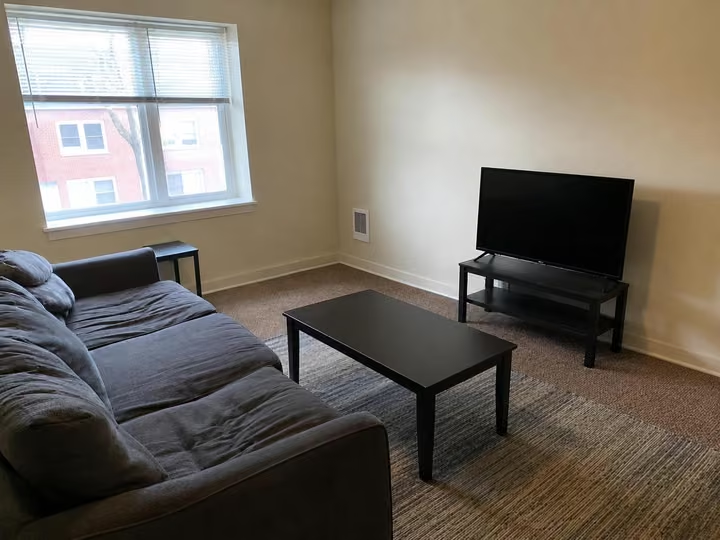
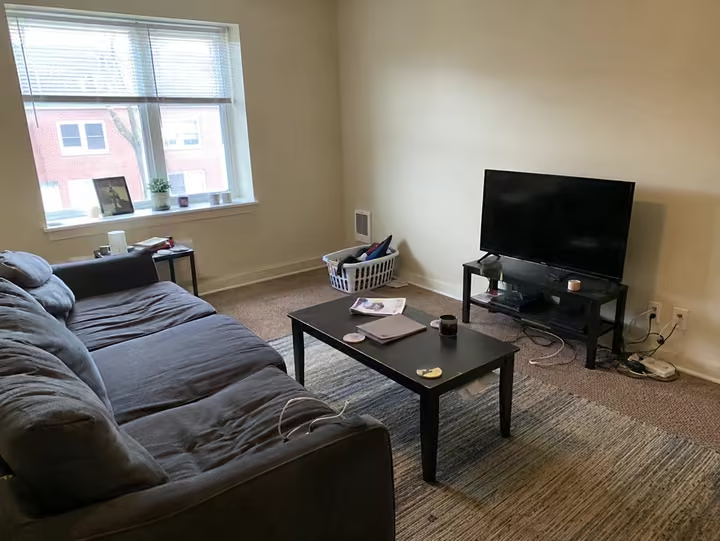
A real photo, then the tool's own render of it: decluttered.
Three steps. About 30 seconds.
- 1
Upload the photo of the room, mess and all, as a jpeg or png up to 10MB.
- 2
Send it through Room Declutter. There is no style to pick here, the job is the same every time.
- 3
About 30 seconds later you get the tidy version back, private by default and ready to use.
Watch it work.
The tool on a room, start to finish, in one clip.
Answers, before you ask.
Does it remove the furniture?
No. Declutter clears the loose mess and leaves the room furnished. If you want the furniture gone as well, Furniture Removal is the tool for that, and it opens on every pack too.
Is this honest to use on a listing?
That is your call and your local rules. The room, its layout and its furniture are unchanged, so what you are showing is the same space tidied. Every pack carries the commercial license for listing work.
Is there anything to choose?
No style, no room type, nothing to set. Upload and run. That makes it the quickest of the twelve tools to use, and it still costs the same single credit as any other design.
What size photo can I upload?
Jpeg or png up to 10MB, which covers anything a phone or a camera will give you. Shoot the room from a corner in daylight and the result will hold more of the detail.
Upload the photo, pick a style, and see it redesigned with the walls and windows where they are. Your first design is free; after that, credits from $7, paid once.
Redesign my photo